Supported Languages
Makeform supports 13 languages for the app interface and default form text.
Available Languages
Makeform is available in the following languages:
How to Change Language
The language setting is automatically detected from your browser preferences. To use Makeform in a different language:
1. Using the Language Dropdown
Click the language dropdown at the bottom of the left sidebar (next to the theme switcher) to select your preferred language.
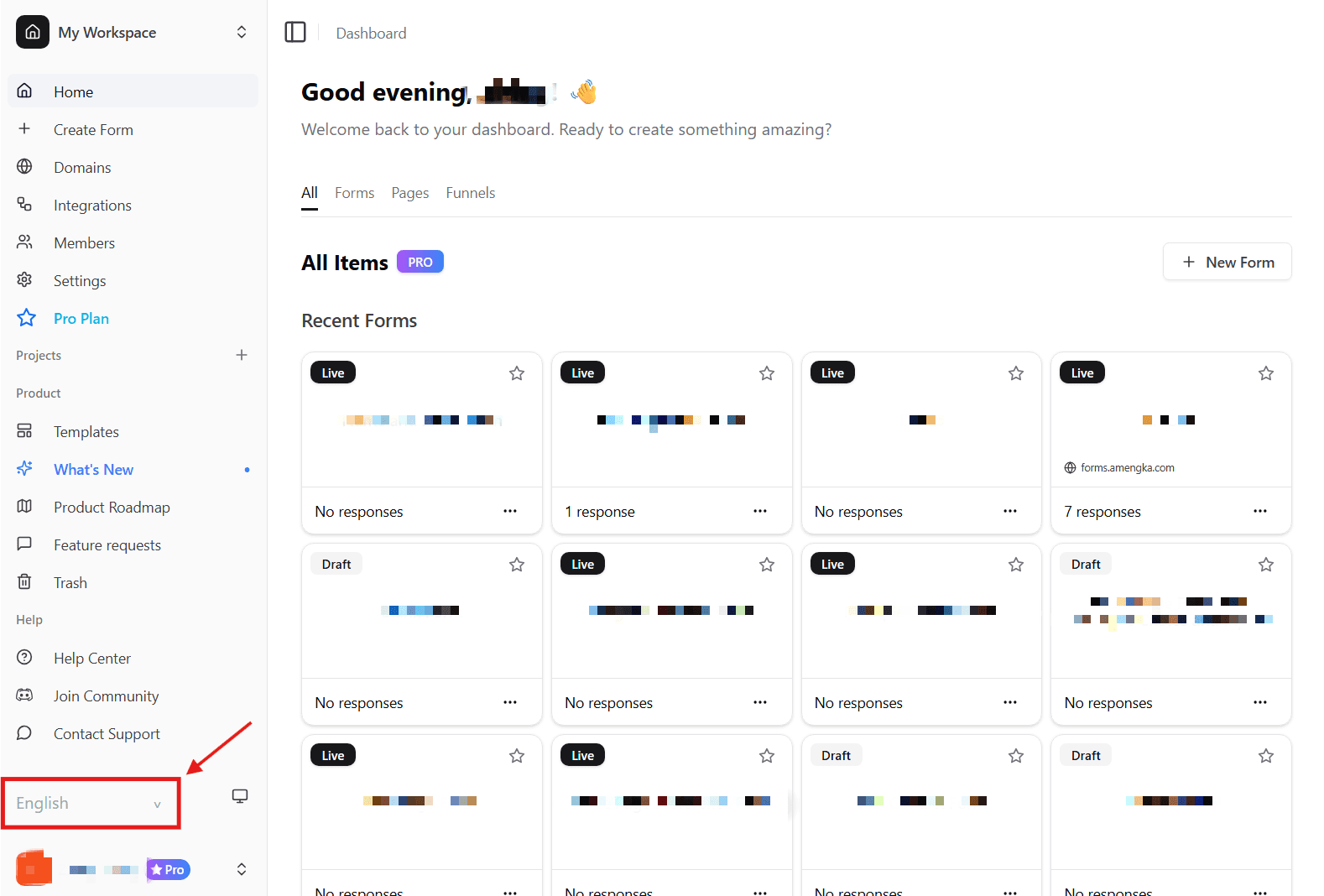
2. Access via URL
Add the language code to the URL:
- Example:
makeform.ai/frfor French - Example:
makeform.ai/jafor Japanese - English doesn’t require a language prefix
Language codes:
de- Germanja- Japanesees- Spanishfr- Frenchko- Koreanit- Italianth- Thairu- Russianzh-Hant- Traditional Chinesezh-Hans- Simplified Chinesept-BR- Brazilian Portuguesear- Arabic
Makeform remembers an explicit language choice for up to one year. For signed-in users, the preference is also saved to the account and reused across sessions and dashboard visits.
What Gets Translated
When you use Makeform in a supported language, the following elements are automatically translated:
- Dashboard and navigation menus
- Form builder interface
- Settings and configuration options
- Default form text and labels
- Button text and actions
- Error messages and notifications
- Help text and tooltips
Your form content (questions, answers, custom text) is not automatically translated. You control the language of your form content.