Makeform LogoHelp Center
GitHubGitHub
  • Help Center
  • Get Started
    • Create a Form
    • Customize Form
    • Form Settings
    • Publish Your Form
    • How to Rename Forms
    • Form Templates
    • Name Question Fields
    • Create a Multi-Page Form
    • Supported Languages
  • Features
    • Short Text Input
    • Long Text Input
    • Email Input
    • Phone Input
    • Number Input
    • Opinion Scale
    • Checkboxes
    • Multi Select
    • Single Select
    • Range Slider
    • Currency Input
    • Address Input
    • Ranking Input
    • Link Input
    • Time Input
    • Geo Capture
    • Multiple Choice
    • Rating
    • File Upload
    • Signature
    • Date Picker
    • Text
    • Headings
    • Hidden Fields
    • Conditional Logic
    • Custom Domain
    • Link Preview
    • Remove Makeform branding
    • Email notifications
    • Share setting
    • Summary details
  • Tutorials
    • Common Tutorials
      • How to create a free quiz
      • How to create a free personality quiz
  • Integrations
    • Slack integration
      • Handle Form Events
  • Plans & Pricing
Question? Give us feedback →Edit this page
FeaturesRemove Makeform branding

Remove Makeform branding

Makeform have a “Powered by MakeForm” button on every page of your form. With Makeform Pro, you can remove all Makeform branding and have your forms seamlessly represent your brand.

✨
Remove Makeform branding is a Makeform Pro feature.
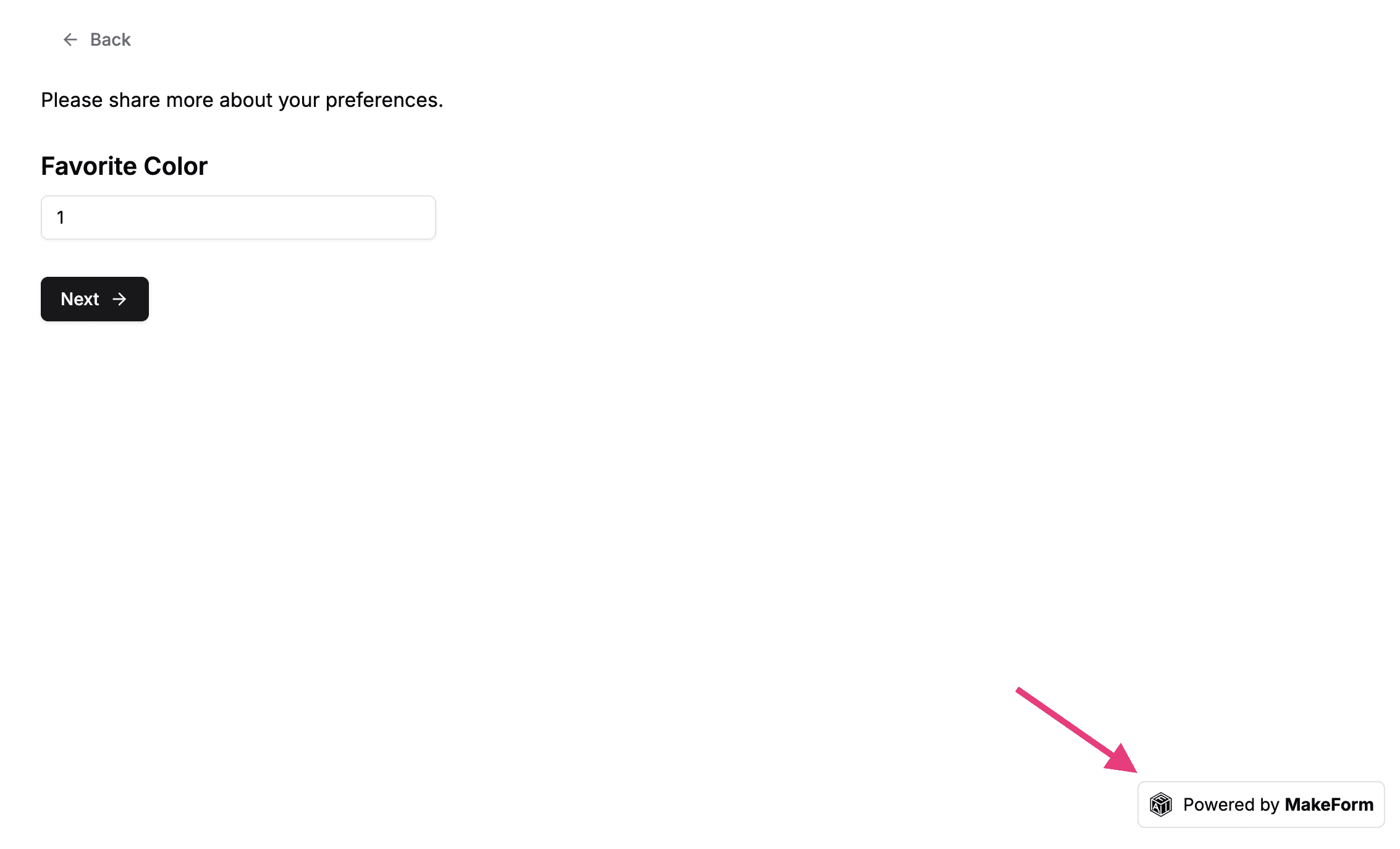
Remove Branding Example1

Form page


How to remove Makeform branding

You can go to the Settings tab. Simple click the switch to remove Makeform branding.
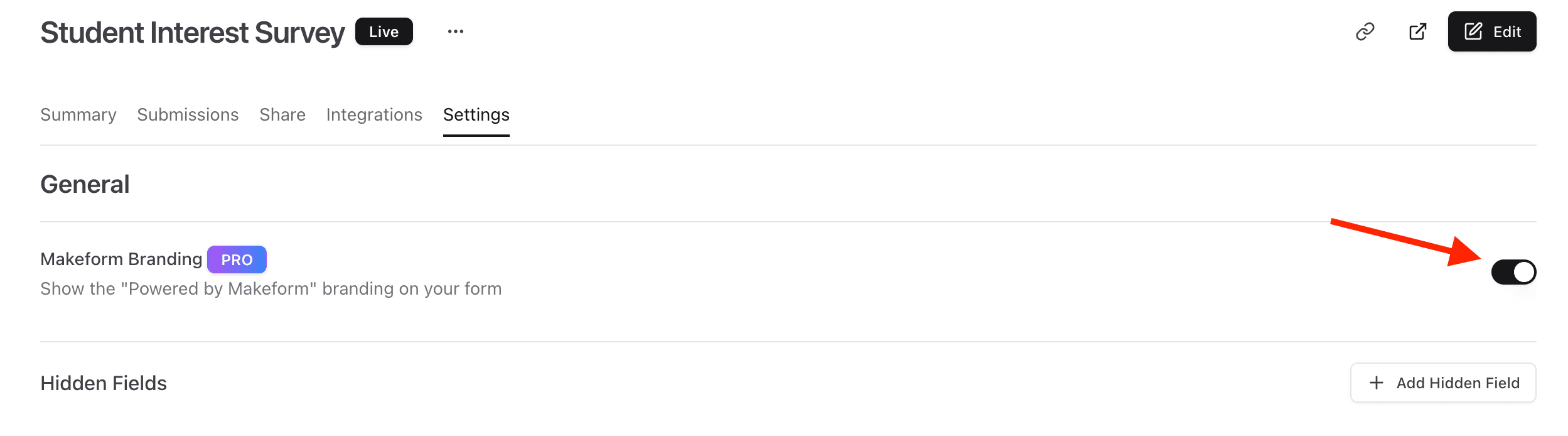
Remove Branding Example2

Link PreviewEmail notifications

MIT 2025 © Nextra.