Redirect After Submission
Send respondents to another page after they submit a form. Makeform supports a simple form-level redirect and redirect ending variants for conditional flows.
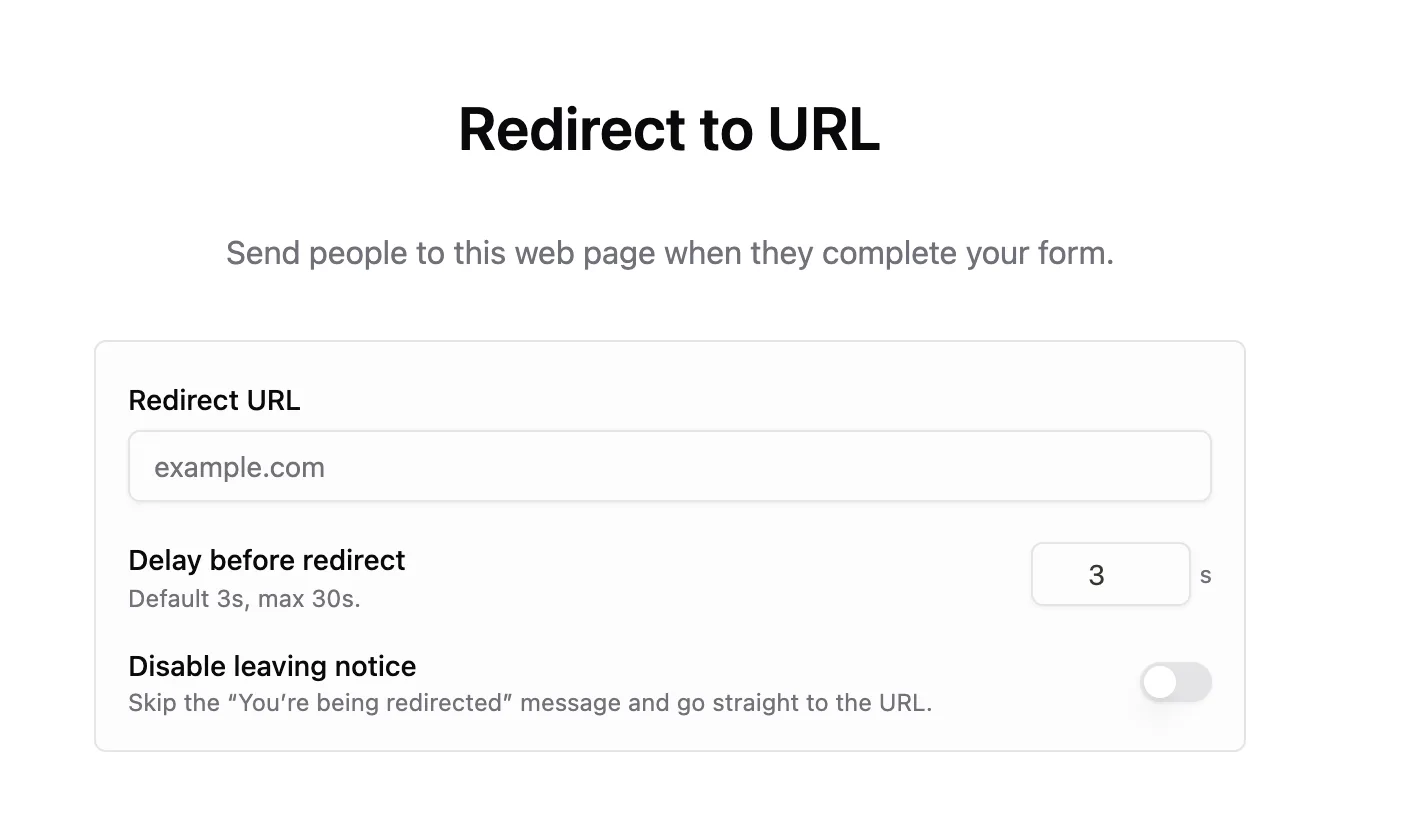
Use a form-level redirect when every respondent should go to the same place. Use a redirect ending when different answers should send people to different destinations.
Two redirect options
Makeform has two redirect paths:
| Redirect type | Where it is set | Best for |
|---|---|---|
| Redirect on completion | Form settings | One destination for every completed submission |
| Redirect ending variant | Ending pages | Conditional destinations based on answers, scores, or ending logic |
If a respondent reaches a redirect ending, that ending redirect takes priority over the form-level redirect. This prevents two redirects from firing at the same time.
Option 1: Redirect on completion
Use Redirect on completion when every completed submission should go to the same URL.
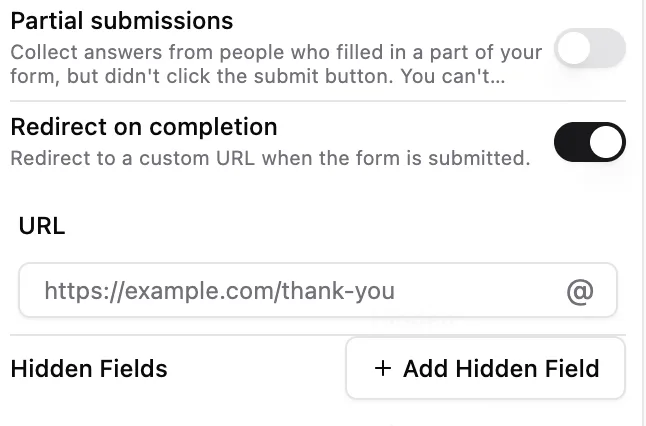
To set it up:
- Open your form in the builder.
- Open the form settings.
- Turn on Redirect on completion.
- Enter the destination URL.
- Save or update the form.
- Submit a test response.
This redirect runs after Makeform saves the response.
Option 2: Redirect ending variant
Use a redirect ending when the destination should depend on the respondent’s answers. For example, send qualified leads to a calendar, send existing customers to support, or send paid orders to checkout.
Add a new ending from the builder:
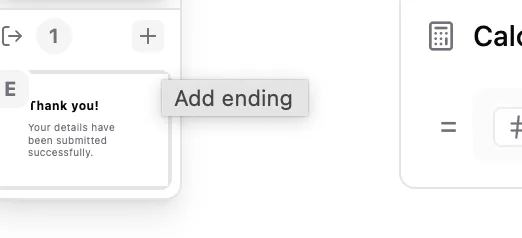
Then choose Redirect to URL as the ending variant:
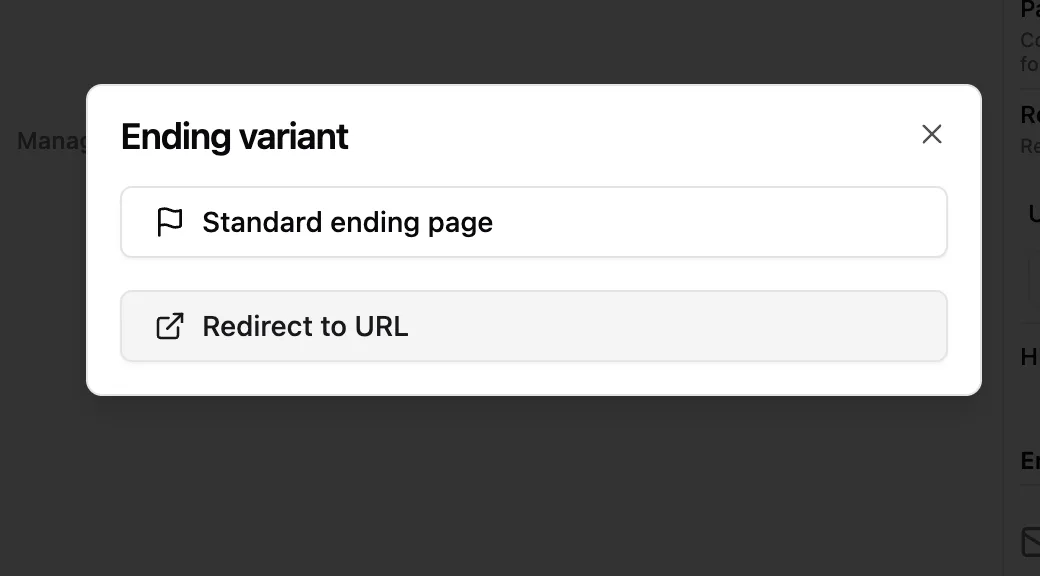
Configure a redirect ending
Redirect endings have their own settings:
- Redirect URL - the page respondents will open.
- Delay before redirect - how long Makeform waits before sending the respondent away. The default is 3 seconds and the maximum is 30 seconds.
- Disable leaving notice - skip the “You’re being redirected” message and go straight to the URL.
Redirect with ending logic
Redirect endings work well with ending logic. Create multiple endings, then route respondents to the right one.
| Scenario | Ending |
|---|---|
| Qualified demo request | Redirect to booking calendar |
| Low-fit lead | Standard ending with resource links |
| Paid intake | Redirect to checkout |
| Existing customer | Redirect to support portal |
Pass context to the destination
If the destination page needs context, add query parameters to the redirect URL:
https://example.com/thank-you?source=newsletter&plan=proOnly pass values that are safe to expose in a URL. For tracking values that should also be stored with the response, use hidden fields.
Testing checklist
- Use a valid
http://orhttps://URL. - Save or update the form after changing redirect settings.
- Submit a test response.
- Confirm the response is saved in Makeform.
- Confirm the browser opens the correct destination.
- If you use ending logic, test each route.
- Test the redirect on mobile.
Troubleshooting
The redirect does not open
Check that the destination URL is valid and publicly reachable.
The wrong redirect opens
Check whether the respondent is reaching a redirect ending. Redirect endings take priority over the form-level redirect.
The response is missing
Redirects happen after the response is saved. If the response is missing, test the form without the redirect first to isolate the issue.
Query parameters are missing
Check the destination URL and make sure query parameters are encoded correctly.